Miles and Miles of Smiles

I currently live in the countryside surrounded by miles of fertile fields and farms. Soon after settling here, this silly little city gal found herself getting lost on one country road after the other on a daily basis. You would think that addresses would be easy to find in open spaces without buildings in the way...right?...wrong! To a newcomer, all roads and fields look the same and the landmarks seem far and few between. I began conferring with many of the locals to solicit directions. They freely shared their wisdom and I became more confident and better able to find my way around in this land of potatoes, wheat, and alfalfa. I learned that the layout of the land was actually quite "user friendly."

Similarly, many newcomers to Cricutland might feel lost or overwhelmed with the prospects of having so many possibilities, and options at their finger tips. Deciding how to start using the Cricut products can be daunting to some because they are comparing themselves to veteran crafters. If you are a newcomer, my advice to you is this:

Just jump in. You'll learn as you go. Crafting and creating is safe and you won't get lost or stranded in the middle of nowhere. Relax. You're in the safety of your own crafting space and paper is cheap. The important thing is that you simply begin using those products! Start with what you have and take your Cricut exploration to the next level. Remember to confer with the locals on the Cricut message board and the customer service line. Their wisdom and crafting advice will be invaluable and you'll make some new friends to boot. You will come through your own learning curves and start to feel more adventurous, independent, and daring with your own crafting creations. Soon you'll be navigating your way around Cricutland like a seasoned pro.


Happy Cricuting :-)

Lonna Joy Smoot- Editor, Cricut CHIRP!


ANNOUNCEMENT: Coming soon to a retailer near you!

Cricut has got some great new Cricut Cartridges and Cricut Solutions Cartidges coming down the pipeline! Keep your eyes peeled for the following new releases.

Cricut Cartridges:
A Child's Year, Ashlyn's Alphabet

Cricut Solutuions:
Solutions Stamp with Kit, Stamping Solutions, Kitchen & Bath Decor, European Decor


PROJECT CORNER AND SPOTLIGHT


More Winners
Name:
Kristina Harrington
About:
I am a mother of two beautiful girls ages 15 and 9. I have been scrapbooking on and off for about 10 years. The Cricut has really expanded my creativity, from scrapping pictures to scrapping my living room walls.

Kristina's Project: Home
Picture:

Cartridges Used:

Plantin Schoolbok, Cursive 101
Instructions:
I used DesignStudio to cut the letters of HOME at six inches with the Plantin Schoolbook cartridge, and welded and cut the letters for "Where Your Story Begins" using the Cursive 101 cartridge and DesignStudio. Using two 12x12 patterned papers I decoupaged them onto a pine board, I then put on my letters, decoupaging between each layer.


CRICUT BOARD

This week's highlighted threads are:


TIPS TREASURE CHEST - Cutting Little Letters

Today's tip comes from message board member GayleWheaton. Thanks for sharing your tip Gayle!

Q. Has anyone had success cutting 1/4" letters? I got my Cricut Expression 3 days ago, and no matter what kind of paper I use, I just can't get it to cut that size letter without destroying them. I've tried every combination of blade depth, pressure and speed and it still won't work.

A. Here's what I recommend to my students:

Speed - #1 - the minimum. You need to give the blade time to make all of those corners.

Blade depth - depends on paper - First try something rather simple at 1/2" or 3/4" to check if your blade is going through. Check to see if there is a groove on the mat (a light tracing is OK, but not if your fingernail makes a "click" as you go across it).

Pressure - just enough to help the blade get through the paper. See if it's better to go up a blade depth with less pressure than to have max pressure on a lower blade setting.

Once you have the settings to get through the paper well, then go to the 1/4" size... Good Luck! It can be done!


CARTRIDGE EXPLORATION - Lyrical Letters

Why are chocolate truffles so good? I'm sitting here eating truffles as I play with my big Cricut. One of the nice things about eating truffles is that you don't get chocolate all over the overlay and you can enjoy every little tid-bit of chocolate while you cut out images with your Cricut. I will say this particular exploration has been one of the yummiest articles to write--hehe!

In this exploration I will be writing on the newest Cricut cartridge Lyrical Letters. The creative features in this cartridge are: Capital, Connected, Loop Dee Loo, Jack Sprat, Jumbo, and Italic Monoline. Since you all ready know this cartridge is part of the font cartridges lets discover what great fonts come with this cartridge. There are seven different fonts with a wide variety of styles. You receive a full alphabet, which is upper and lower case letters. How you tell the difference is with the shift button on the overlay. When you press a button without using the shift button then you will cut lower case letters. You need the shift button to cut upper case letters. You also get a full set of numbers and a wide variety of symbols. The parentheses in the symbol category would be great accents placed next to pictures or near a journal area on a scrapbook page. The number "0" would make a great frame for any scrapbook photos.

Other fun images that come with this cartridge are: a solid and outline flag, square and rectangular outline frames, a Christmas ornament with a star, plus the phrase "Happy Holidays". Other phrases that come with this cartridge are: Thanks, Thank You, With Gratitude, I'm Grateful, Way 2 Go, Hooray, Congrats, Ta Da!, Yippee, You're the best, Happy Birthday, Add Another Candle, It's your day, Sweetheart, Love You, Celebrate Love, Hugs & Kisses, One Love, You're Invited, Feel Better Soon, and Just Saying Hi.

Some images that come with this cartridge are: flower, music note, butterflies, dragonfly, fruit, leaves, swirl designs, penguin, birds, stork, heats, heart border, presents, birthday cake outline, bow outline, lace doilies, fireworks, balloons, argyle border, card toppers, lace triangle, and spider.

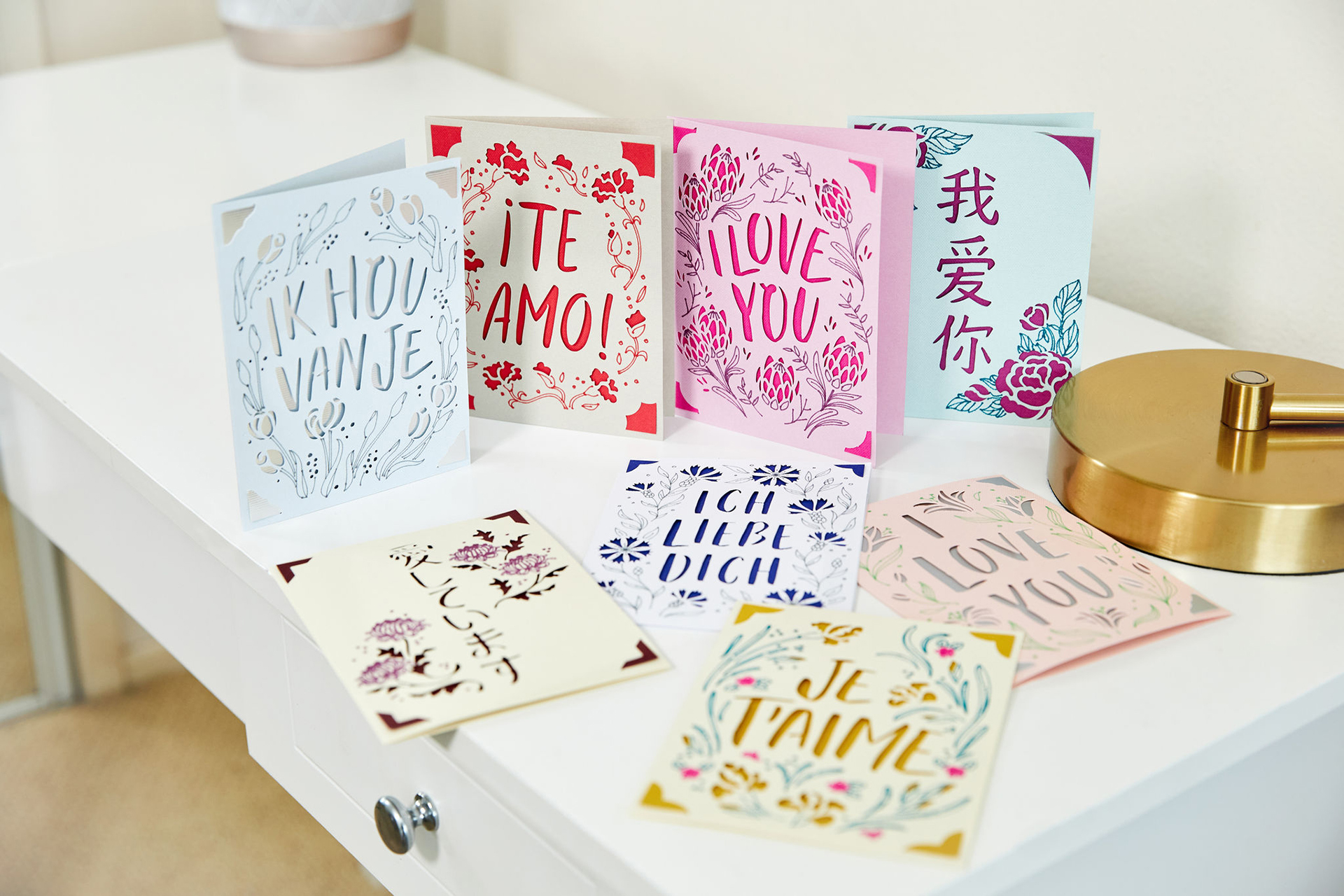
There are so many things you can create with this cartridge, Capadia, from the Cricut messageboard created some gorgeous cards using this cartridge. Check out the photo to the left. If you are a big card maker then you will love this cartridge. You can also use this with posters for children presentations, scrapbook pages, business presentations, and other craft projects.

For more information check out the web site at www.cricut.com click on Community and then click on Messageboard. There you will find the entire Cricut cartridge family where you can look through what the Cricut fans have created and get ideas on how to use all the cartridges. Check back next week as I dive into exploring the different creative features. Happy Cricuting!

-Crafty Kimber


TECH SUPPORT NOOK - Q: My mat won't load when I push the "Load Paper" button.

A: Solution 1: If you have already tried to load the paper at least once, you'll need to press Unload Paper first before attempting again. The machine "thinks" that the mat is loaded the first time.

Solution 2: Try pushing the mat slightly into the rollers as you press the "Load" button. This is best done by holding and pushing the mat on the side nearer the front of the mat.


QUOTE OF THE DAY

"I think of a hero as someone who understands the degree of responsibility that comes with his freedom."
~ Bob Dylan


Use of this Web site constitutes acceptance of our Terms of Use and
Privacy Policy © 2008 Provo Craft & Novelty · All rights reserved
  Get our newsletter